
Website Demonstration - Divi Modules
This page shows samples of the following Divi modules:
Jump to Video
Divi Text and Toggle Module Examples
THIS IS A TEXT MODULE
The text module is a handy way of presenting some text information to your website visitors. Learn more about the Divi Text Module here.
THIS IS A TOGGLE BOX MODULE
This is toggle box content
- You can use a toggle module box to display a large amount of information in a smaller space.
- It is more easily scannable by a website visitor.
- This is a PDF of our most recent meeting minutes
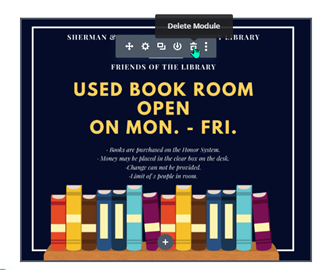
Divi Image and Gallery Module Examples
THIS IS AN IMAGE MODULE
THIS IS A GALLERY MODULE


Divi Blog and Post Slider Module Examples
THIS IS A BLOG MODULE
Creating a new blog post for my website
A step-by-step guide to creating a basic blog post, plus basic description of how blog posts appear on various pages of a website via Divi modules.
Summer Reading and Your Library Website
Learn how to combine all of your website skills to create a summer reading post and page – and add it to your library website menu!
Going on a Digital Diet: When PDFs become the restricted ingredient
Learn why PDFs aren’t web-friendly by understanding what the technology is intended for and explore options for reducing their use on websites.
Creating a new blog post for my website
A step-by-step guide to creating a basic blog post, plus basic description of how blog posts appear on various pages of a website via Divi modules.
Summer Reading and Your Library Website
Learn how to combine all of your website skills to create a summer reading post and page – and add it to your library website menu!
Going on a Digital Diet: When PDFs become the restricted ingredient
Learn why PDFs aren’t web-friendly by understanding what the technology is intended for and explore options for reducing their use on websites.
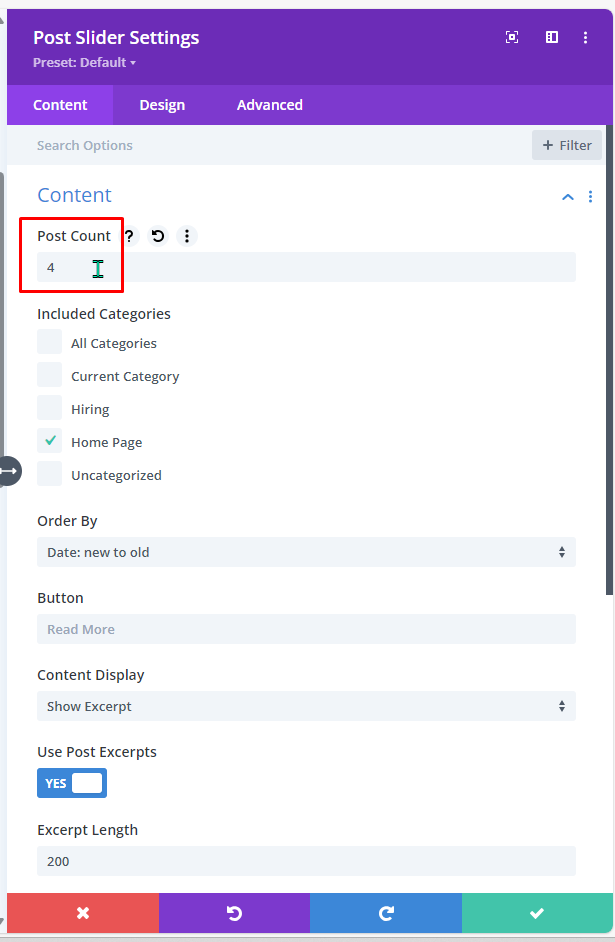
THIS IS A POST SLIDER MODULE
Contact
Erica Brewster
Technology and Public Services Support
Wisconsin Valley Library Service
ebrewster@wvls.org
715-261-7255
Monthly Office Hours
2nd Tuesdays 10-11am
3rd Thursdays 2-3 PM
Additional online and in-person trainings announced via email.
If you are not receiving office hour or other website emails, please email ebrewster@wvls.org to be added to the distribution list.