
There are some basic WordPress settings that should be reviewed on occasion to make sure your website displays accurately.
Review Discussion Settings
WordPress was originally designed as a blogging platform which invited reader commenting and interaction. We don’t use our library websites as interactive forum, and 99.9% of “comments” made to websites are spam.
Despite our best efforts, I still occasionally find websites with some settings allowing comments, even if they don’t show up on the website. Here are a few settings to check to prevent website commenting.
Starting at the WordPress Dashboard, navigate to “Settings > Discussion.”
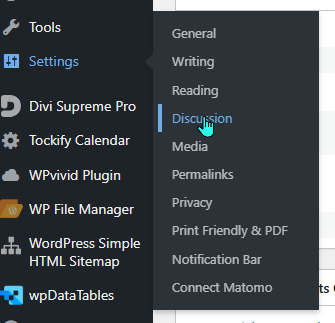
Compare your site’s discussion settings to those pictured here.
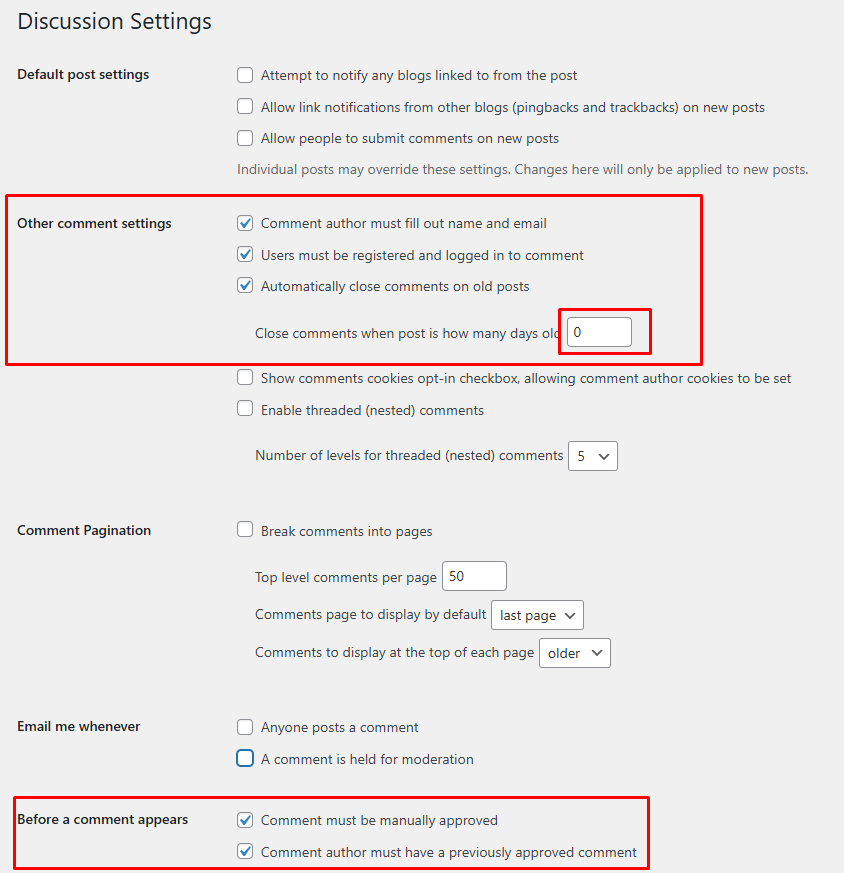
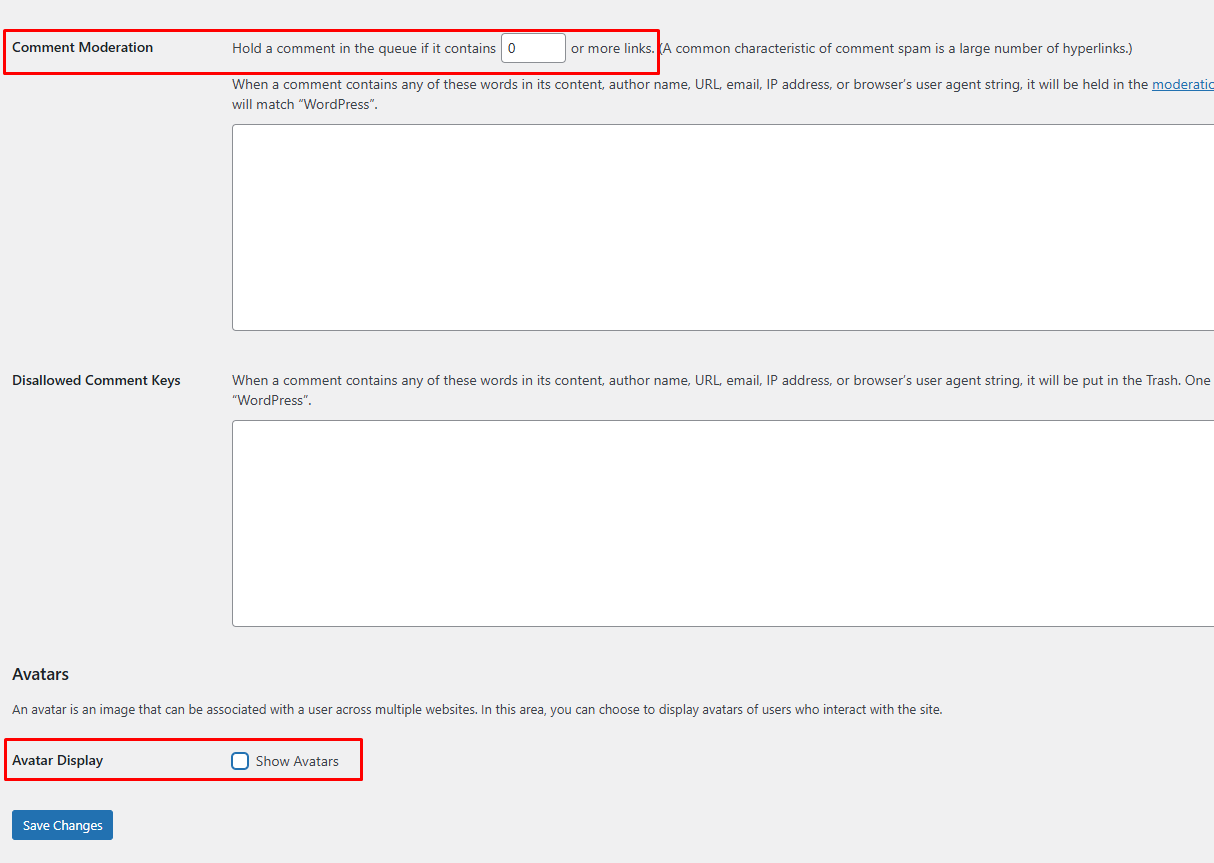
Specifically review:
- Check the following boxes in “Other comment settings”
- Comment author must fill out name and email
- Users must be registered and logged in to comment
- Automatically close comments on old posts x days old
- Set the number of days in the third check to zero
- Check the two boxes in “Before a comment appears”
- Comment must be manually approved
- Comment author must have a previously approved comment
- Set the number of hyperlinks in comment moderation to 0
- Uncheck the box in “Avatar Display > Show Avatars.”
If you update any information, be sure to save changes.
If you have any questions about general website settings, send an email to websitehelp@librarieswin.org.